
Shipping now
Knowledge OS
Every procedure, guide and reference your departments rely on, in one library staff can actually search. Authors start from templates, a reviewer approves before anything publishes, and staff can ask a question in plain words and get an answer that cites the articles it came from.
- Ask a question, get an answer with numbered sources from your own articles
- Templates and AI drafting for SOPs, how-tos, FAQs and release notes
- Reviewer approval before anything publishes, with full version history
- Reports on zero-result searches, stale content and helpful votes
Every article carries its own review date. Anything past it shows up in Reports as stale content.
How-To, FAQ, Troubleshooting, Release Note and SOP / Workflow, so every article has a shape readers recognize.
PDFs, documents and images live on the article they support, not in a shared drive.
AI answers and AI drafting are separate switches, under one master switch that turns every AI feature off at once.
Write from a template
Pick How-To, FAQ, Troubleshooting, Release Note or SOP. Let AI draft the structure from a title if you want a head start, then edit it like any article. Type / for tables, callouts, code blocks and diagrams.
Review before it publishes
Submit for Review sends the draft to a named reviewer with your note. They approve it, which publishes it, or request changes with written feedback that sends it back to draft.
Find it, or just ask
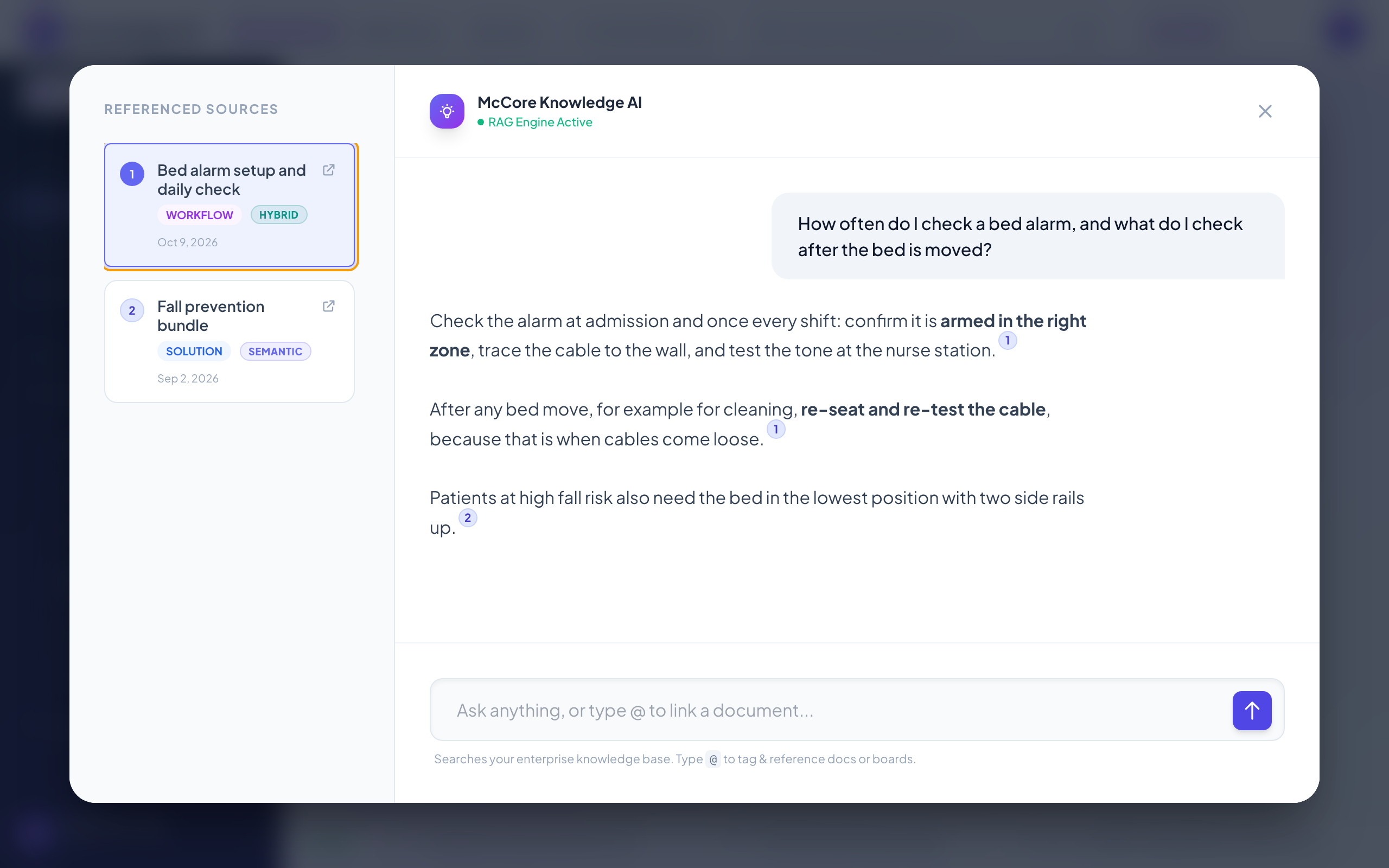
Staff search, browse by department, or ask in plain words. Answers are built only from articles that person can already open, and every answer lists the articles it used.
Answers with sources
Ask Knowledge OS finds the most relevant passages in your library and answers with numbered citations, so staff can open the source and check it before they act.
Templates and AI drafting
Five templates plus AI that drafts from a title, improves writing, summarizes and suggests a category. Nothing it writes publishes without a person approving it.
An editor with a slash menu
Markdown underneath, so content stays portable. Type / for tables, info and warning callouts, code blocks and diagrams.
Reviewer approval
Reviewers work from an Inbox with two lists: articles awaiting them, and articles they sent back with changes requested.
Reports that tell you what to write next
Zero-result searches, stale content, helpful votes and top articles. Every empty search is an article your staff went looking for.
Documents and discussion on every article
Each article has Content, Documents and Discussion tabs, so the attachments and the questions stay with the guidance they belong to.
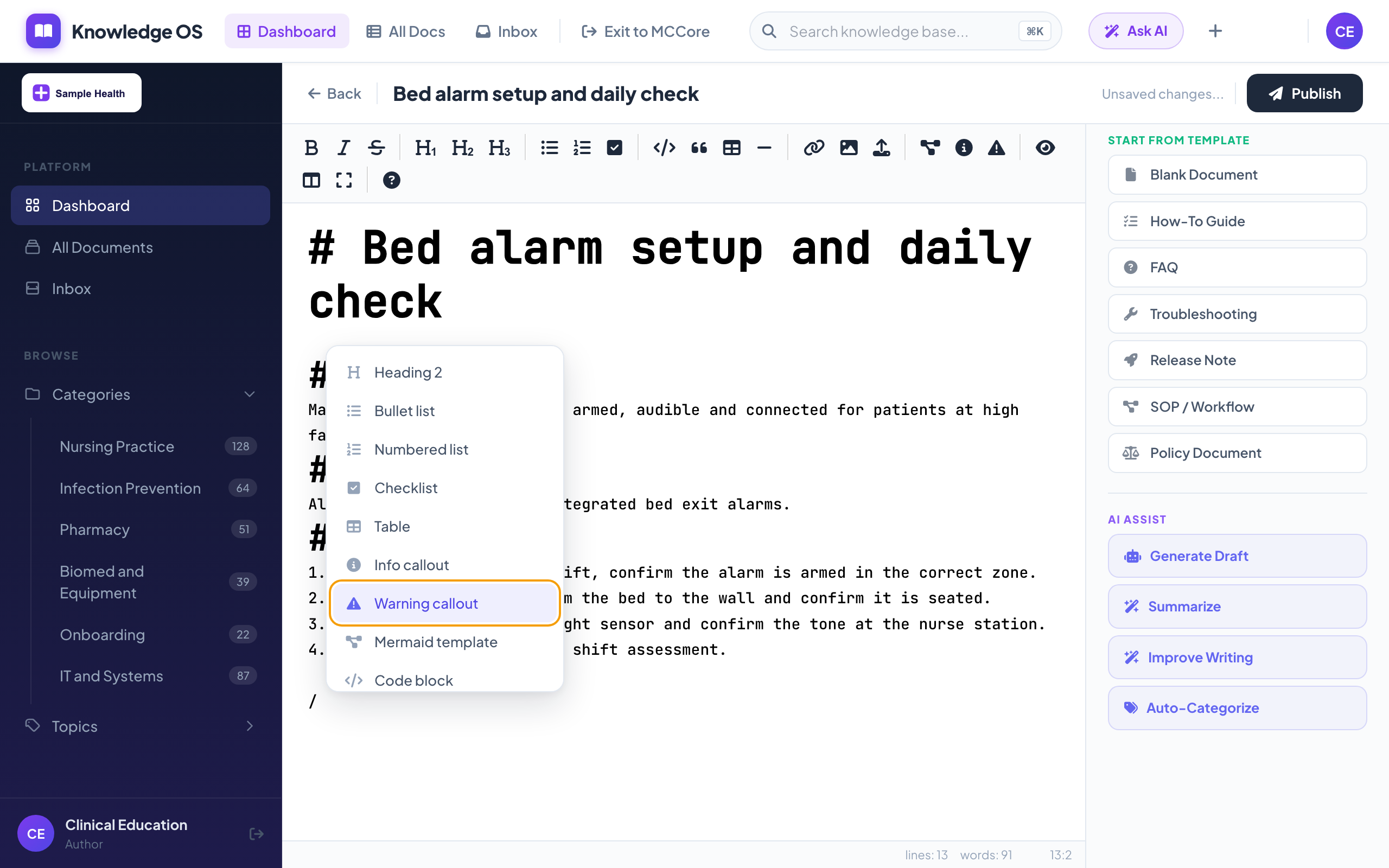
A first draft in seconds, not an afternoon
A clinical educator starts from the SOP template and lets AI draft the structure from a title. She checks every step, adds a warning callout with /warning, attaches the quick-reference card and submits it.
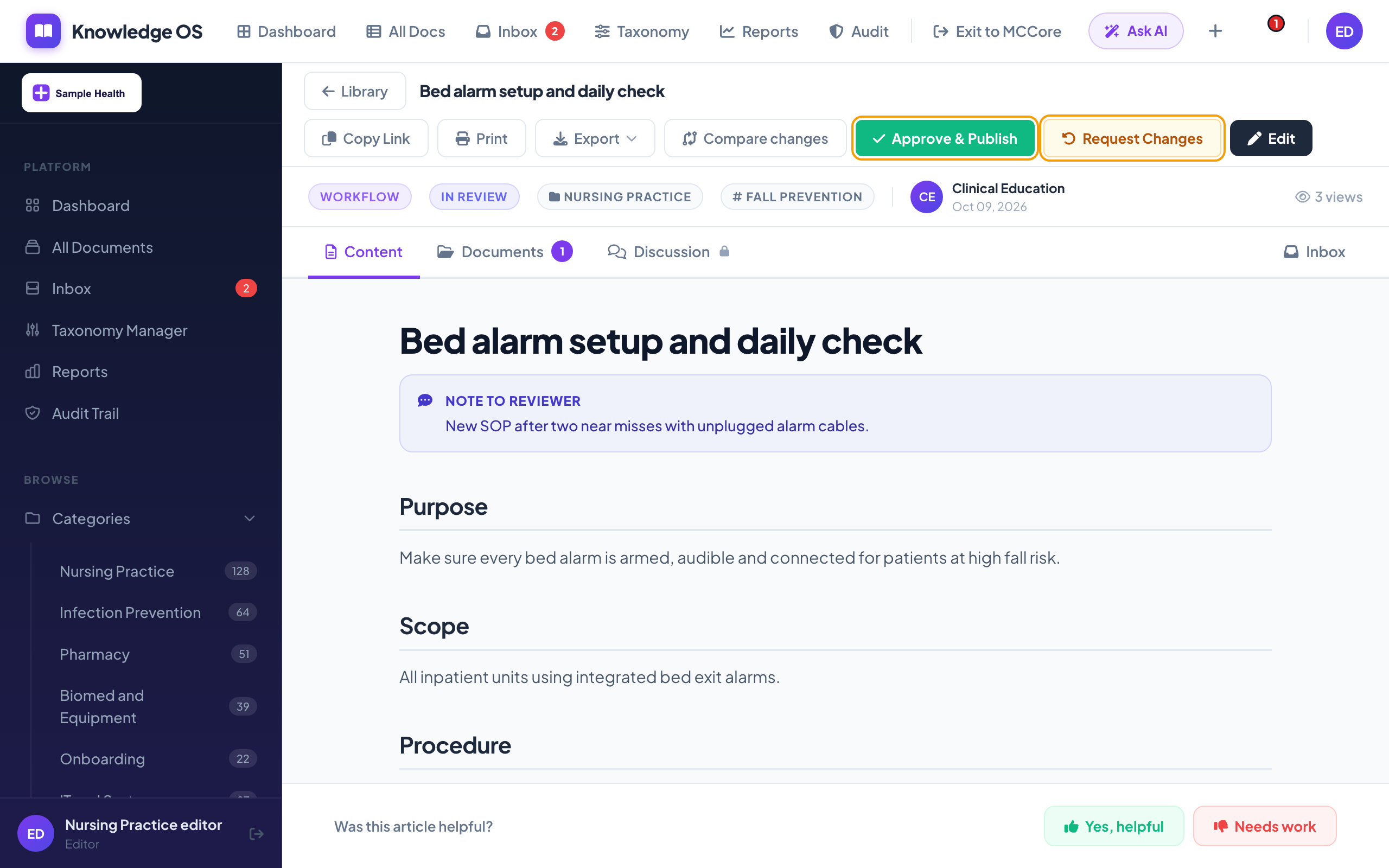
Nothing publishes without a reviewer
The draft lands in the reviewer's Inbox with the author's note. Approving publishes it and tells the author. Requesting changes needs written feedback and sends it back to draft. Either way, the decision is logged.
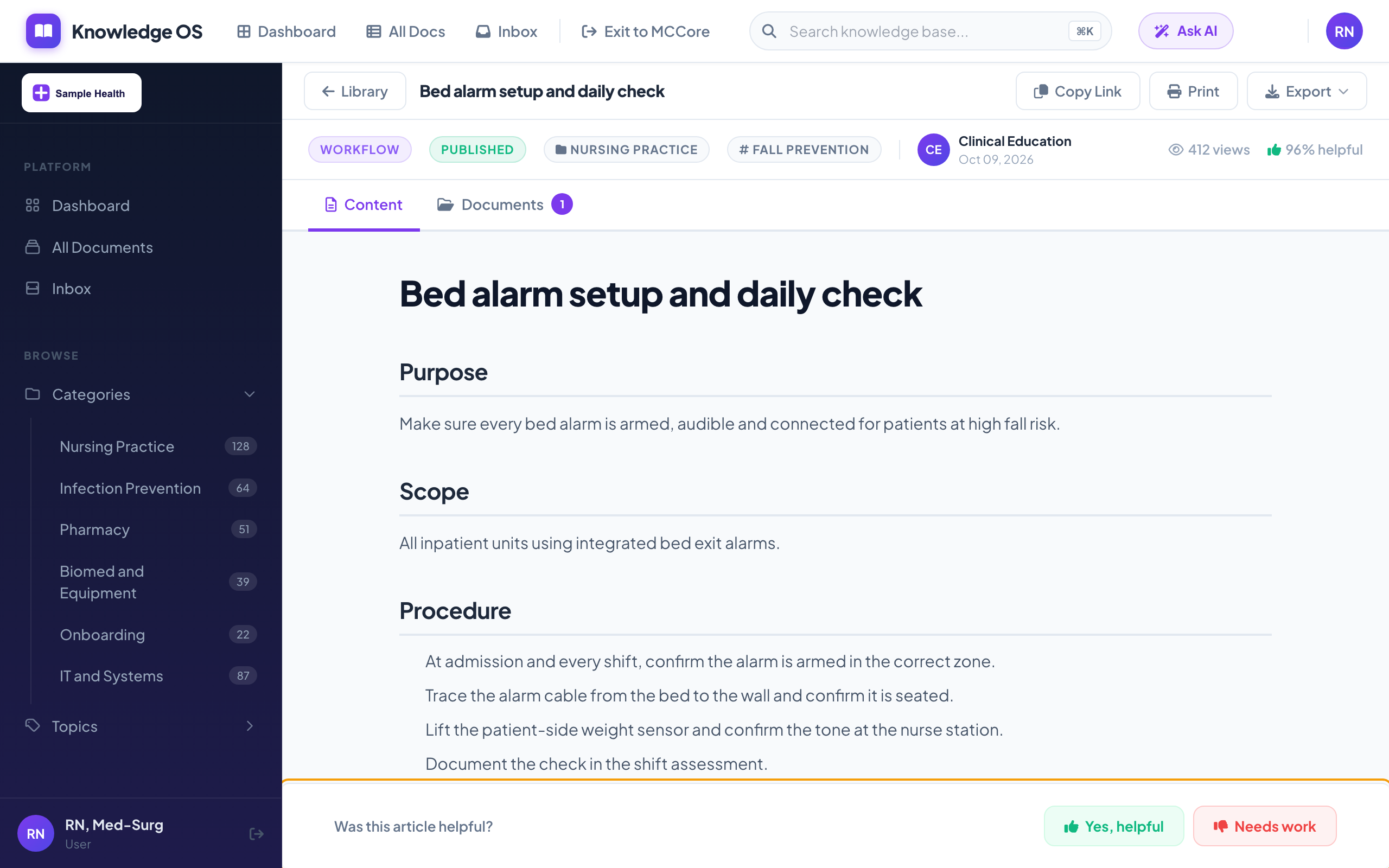
The right answer, on the unit, with its source
Mid-shift, a nurse opens the new procedure from a cited answer, reads the steps and the warning, and marks it helpful. The vote goes back to the article owner.
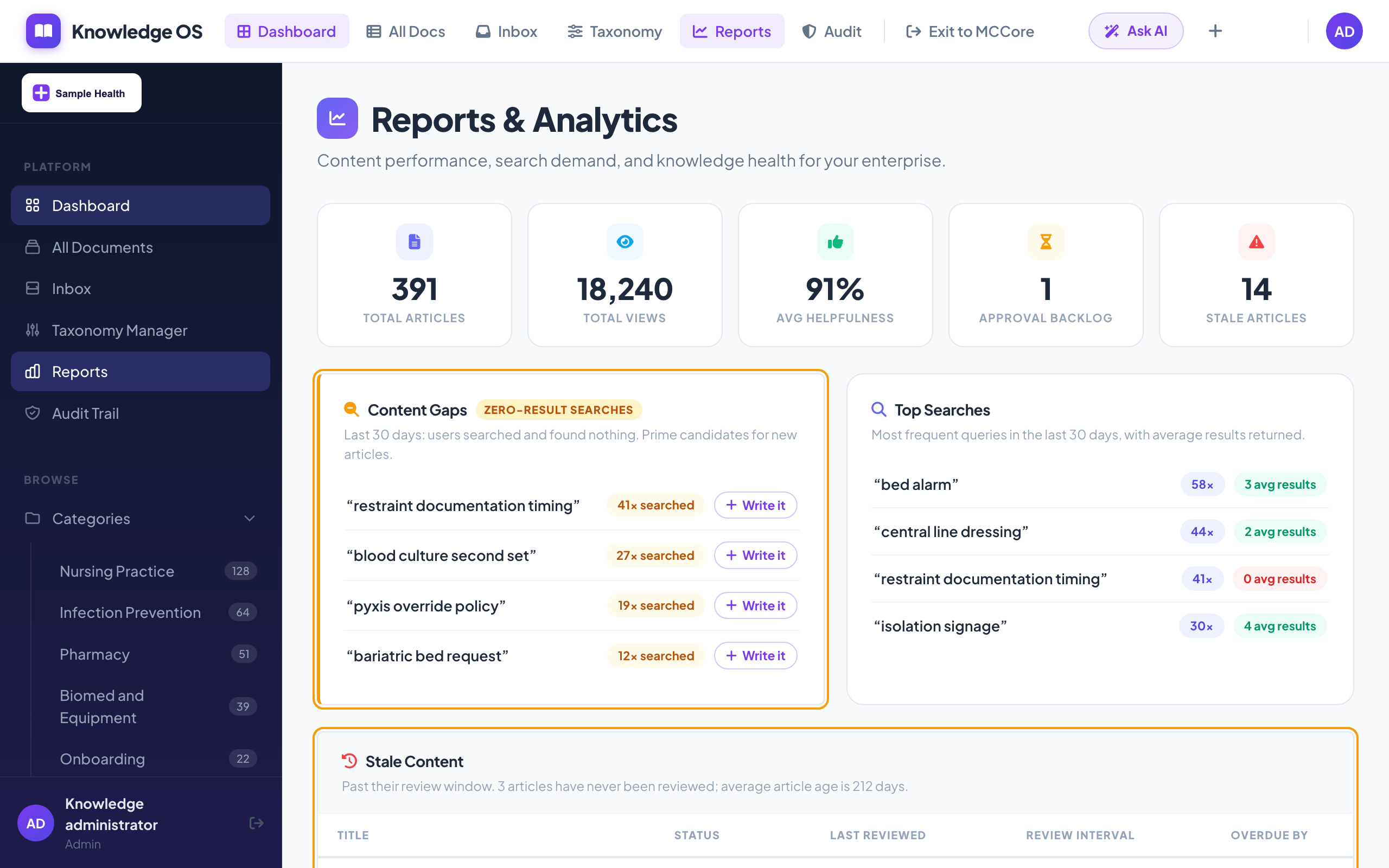
See what staff looked for and could not find
Every search is logged. Searches that came back empty become a writing list, and articles past their review date show up before they become a survey finding.
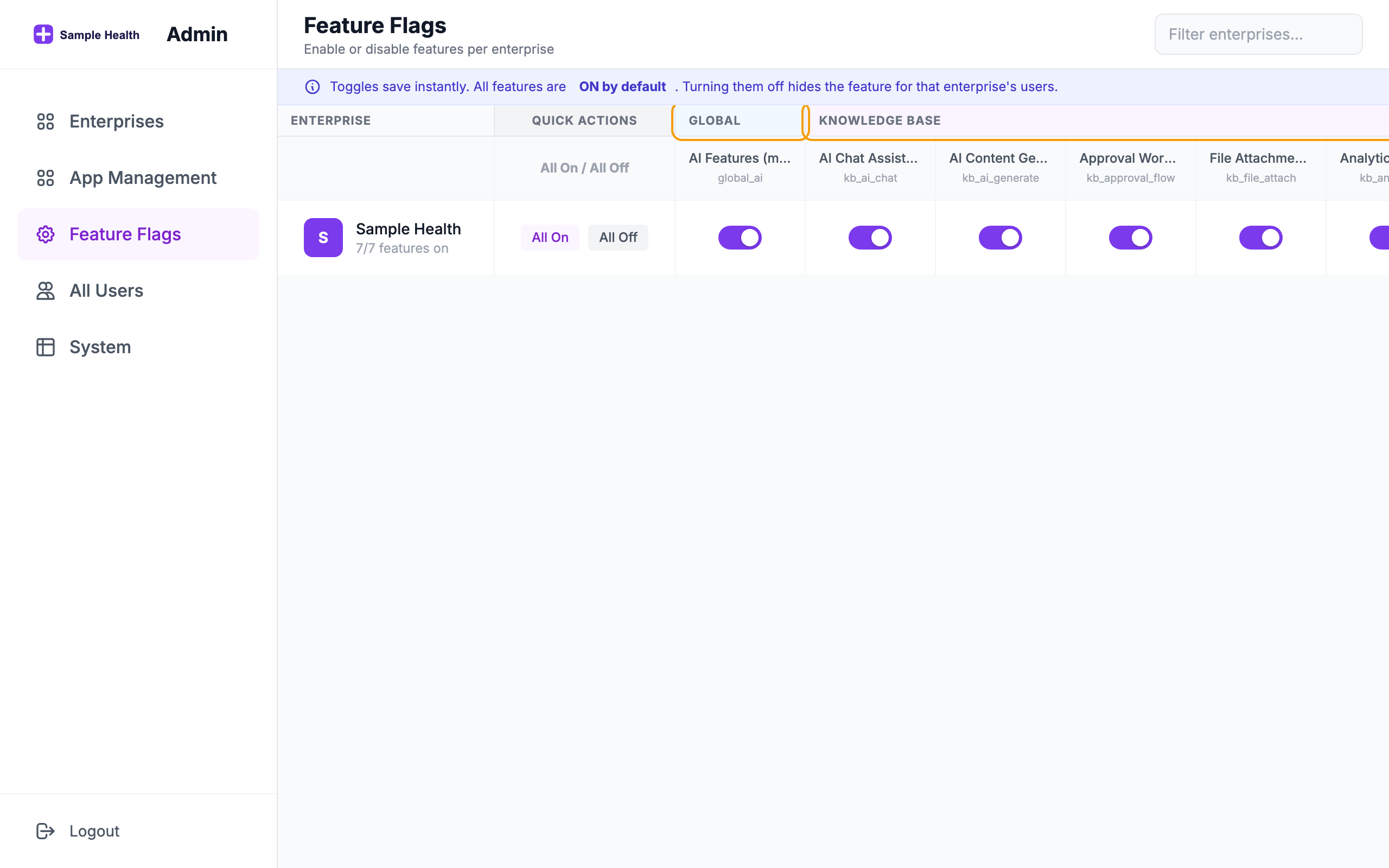
Every capability is a switch you hold
AI answers, AI drafting, approvals, attachments, analytics and the audit log are each switched on or off for your organization.
Questions
Where do AI answers come from?
Only from articles in your library that the person asking is allowed to open. Each answer lists the articles it used, so staff can open the source and check it.
Can we turn AI off?
Yes. AI answers and AI drafting are separate switches for your organization, and a master switch turns every AI feature off at once. Knowledge OS works as a search-and-browse library without any of it.
How does approval work?
Authors submit a draft to a named reviewer. The reviewer either approves it, which publishes it and notifies the author, or requests changes with written feedback, which returns it to draft. Published articles keep every prior version.
How do we keep content current?
Each article has a review interval, 90 days by default. Articles past their review date appear in the Stale Content report, alongside zero-result searches and helpful votes.
Who can do what?
Roles are Admin, Editor, Author and User. Users read, search and ask. Authors write and submit. Editors review and publish. Admins also manage taxonomy, reports and settings.
Walk through it before you talk to us
Follow one procedure from a blank template to a cited answer on the unit, in about three minutes. When you are ready, we will run the same flow on your own content.